Log your hours and km, track overtime automatically, and send your monthly claim to your employer — all from your phone in seconds.
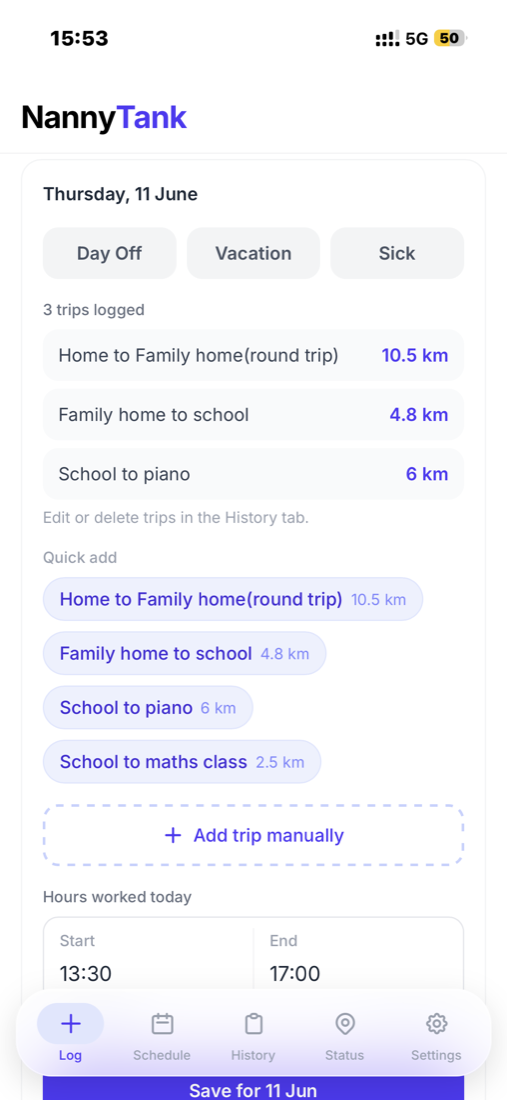
Tap a date, set your times — your hours add up automatically.
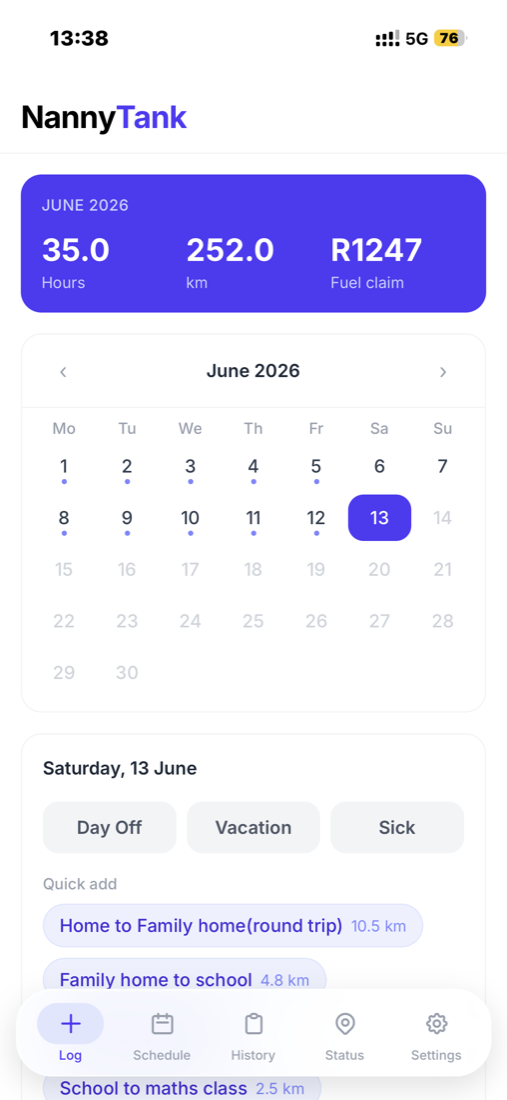
Anything past your normal hours is flagged and added to your claim.
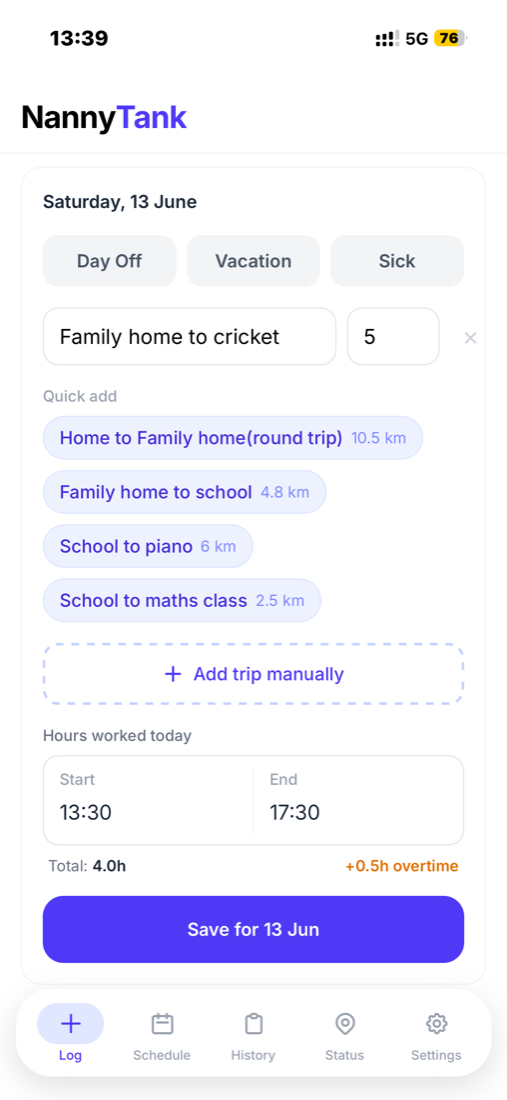
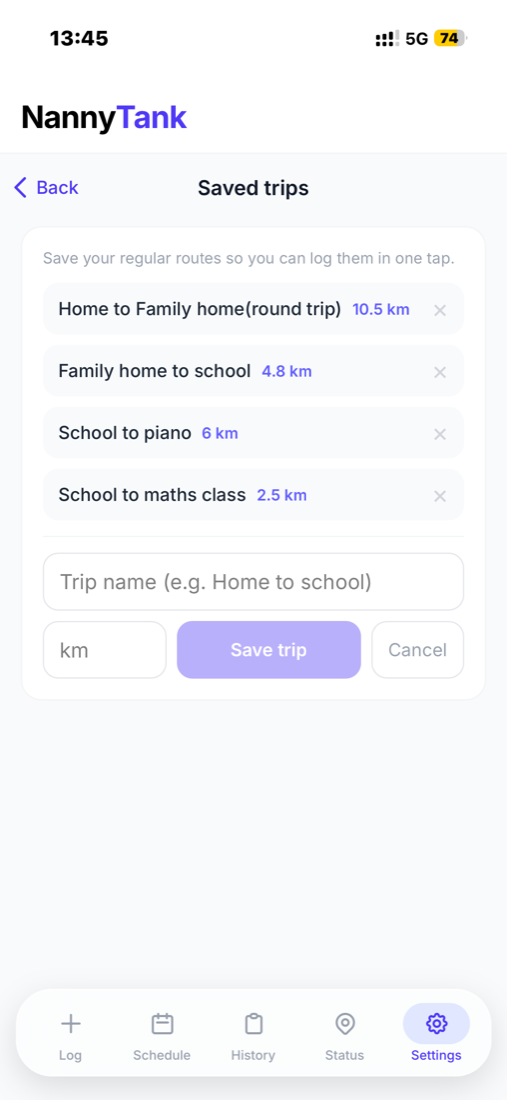
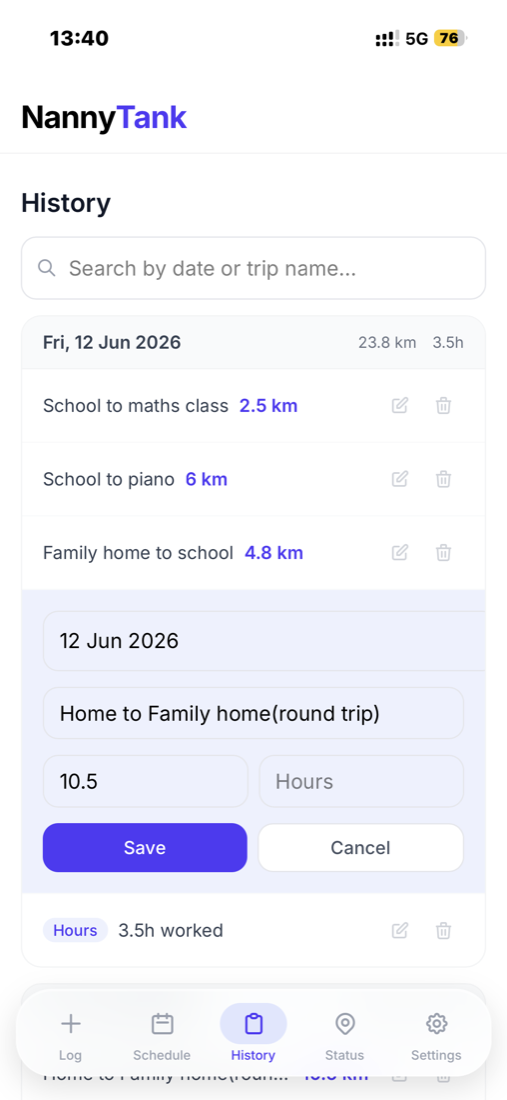
Log the school run, piano and pickups — each in a single tap.
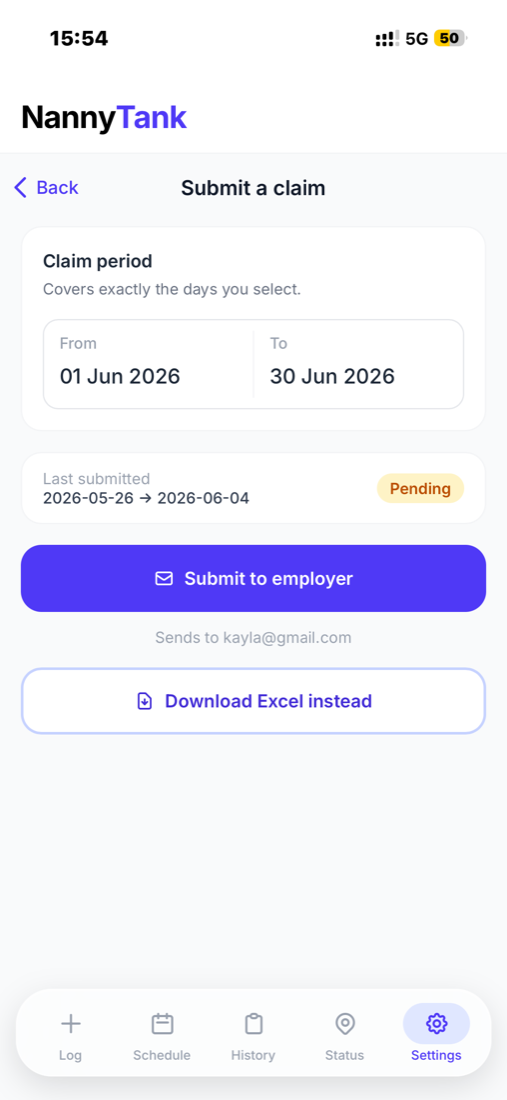
A neat Excel claim, emailed to your employer for one-tap approval.
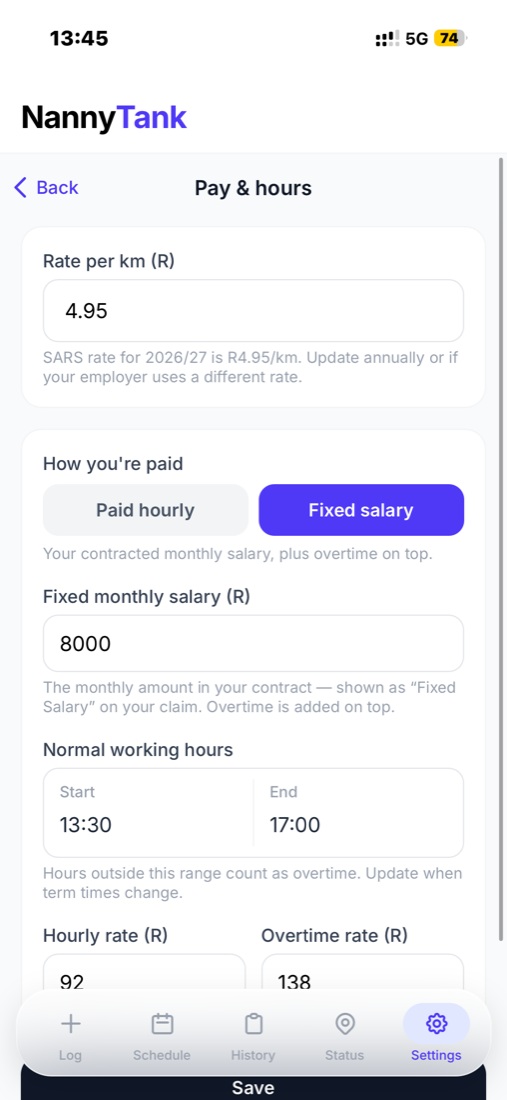
Set your rates, or enter the fixed monthly salary from your contract.
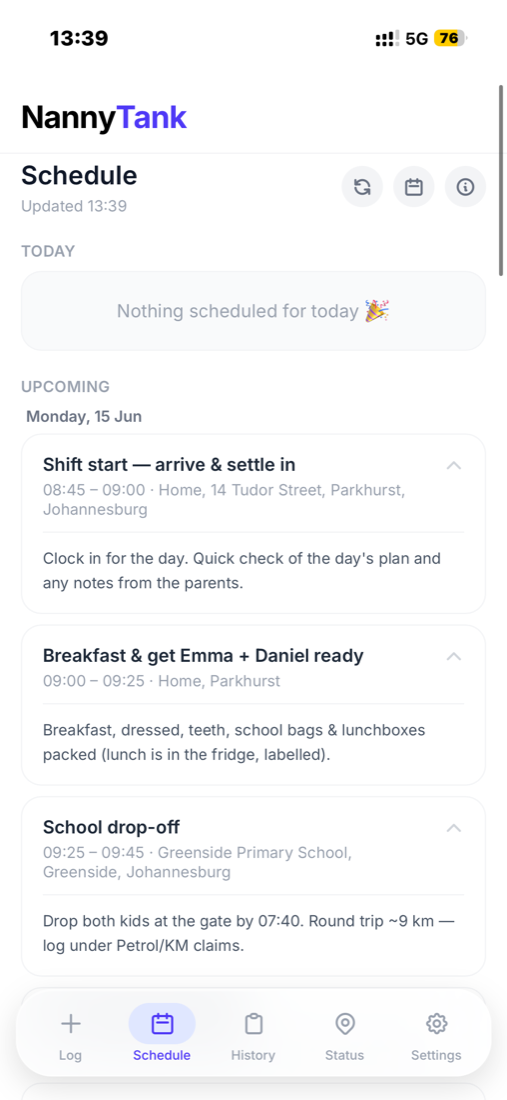
See the parents' shared Google Calendar, right inside the app.
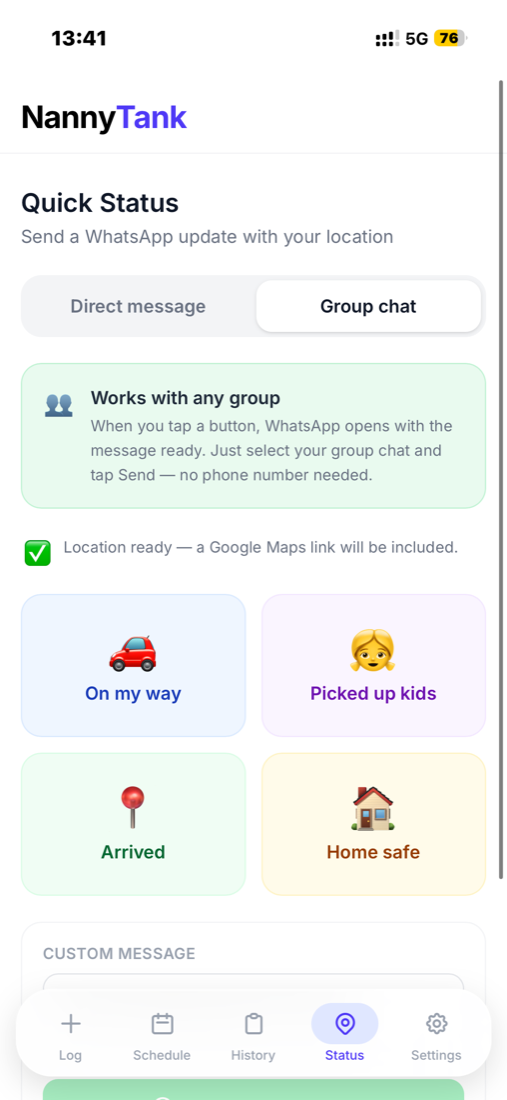
Send your employer a WhatsApp update with your live location.
Browse and fix any past entry, whenever you need to.
Swipe to explore →
Works on iPhone & Android · No app store needed
2 min
To log your day
14 days
Free trial
No card
Required to start
Designed specifically for au pairs — simple enough to use every day, powerful enough to handle your full claim.
Tap any day and enter your start and end time. Total hours are calculated for you automatically.
Any hours worked past your normal schedule are automatically flagged as overtime and included in your claim.
Log trips with a description and distance. Save your regular routes for one-tap adding.
Your employer gets an email with your Excel claim attached and a single button to approve it.
Connect to Google Calendar to see the family's schedule directly in the app.
Get a push notification at 6pm on weekdays to remind you to log your day before you forget.
Tap "On my way" or "Arrived" and WhatsApp opens with a pre-filled message ready to send — your Google Maps location included. Keep your employer in the loop without typing a word.
No downloads. No app store. Works straight from Safari.
Add your details and vehicle, then your hours, rates and how you're paid — across two quick screens. Takes two minutes, and you never have to touch it again unless things change.
Tap a day on the calendar, enter your start and end time, and add any trips you made. Takes 30 seconds. Overtime is flagged and calculated automatically.
At the end of the month tap Submit to employer. Your Excel claim lands in their inbox — they approve it in one tap.
NannyTank is a web app — open the link in Safari, add it to your home screen, and it works just like a native app.
Open Safari
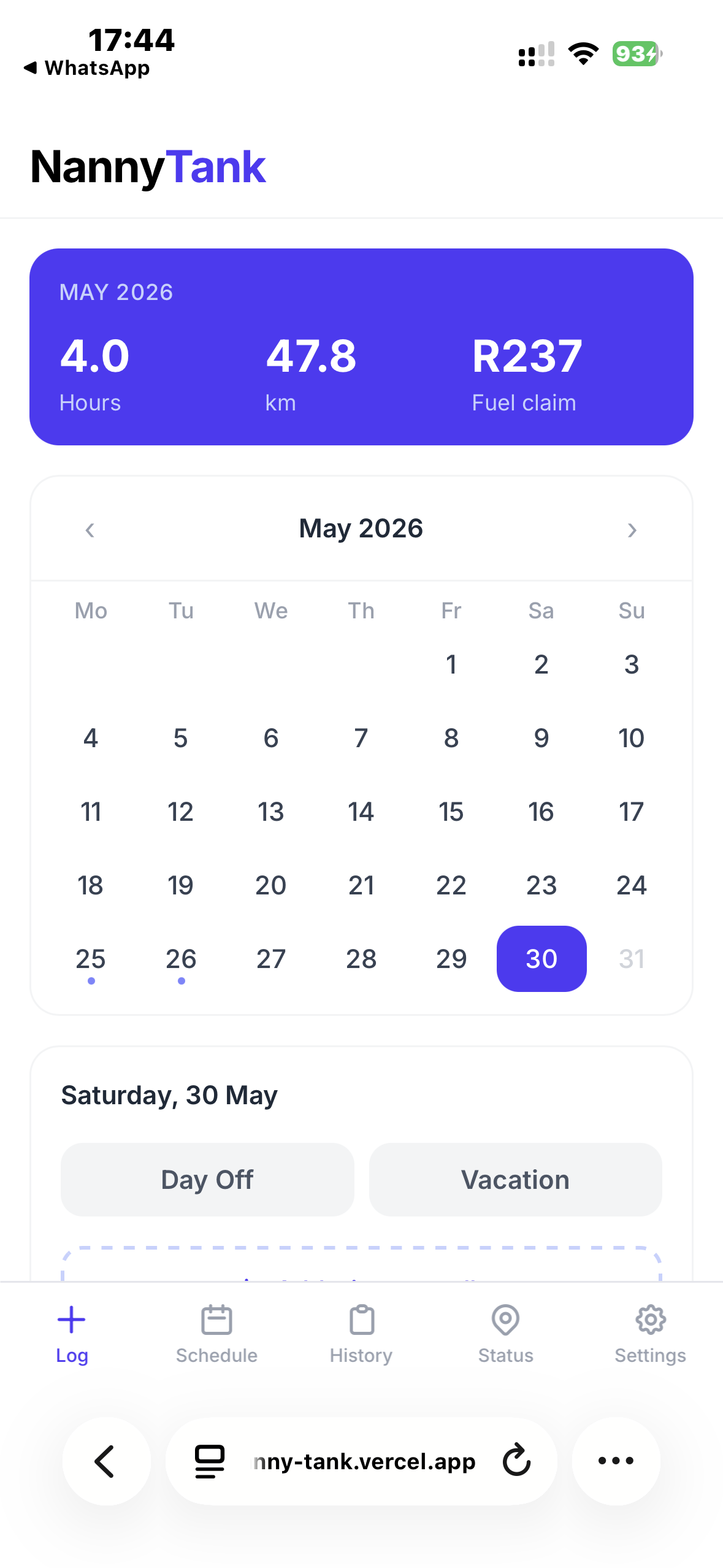
Visit nanny-tank.vercel.app and tap the ··· button at the bottom right
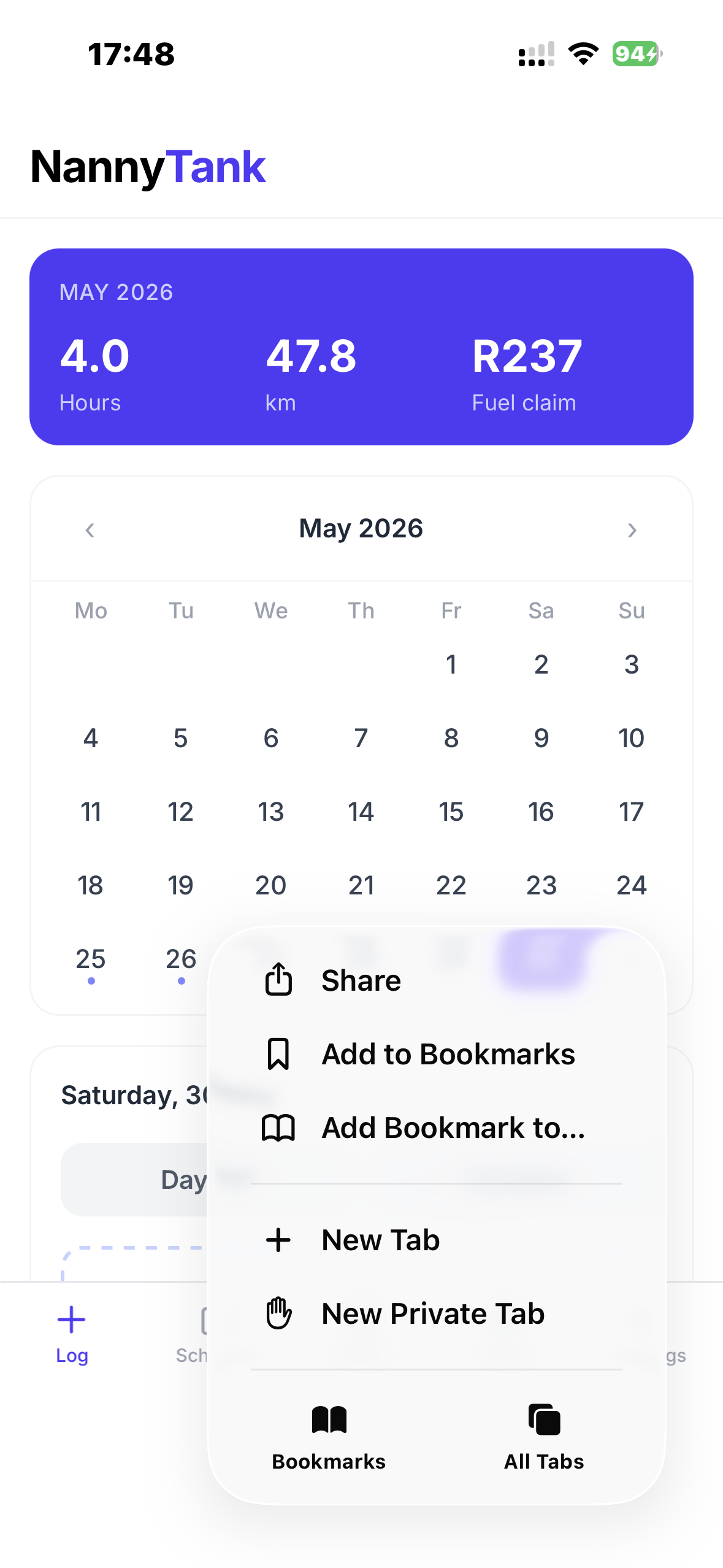
Tap Share
From the ··· menu, tap the Share option at the top
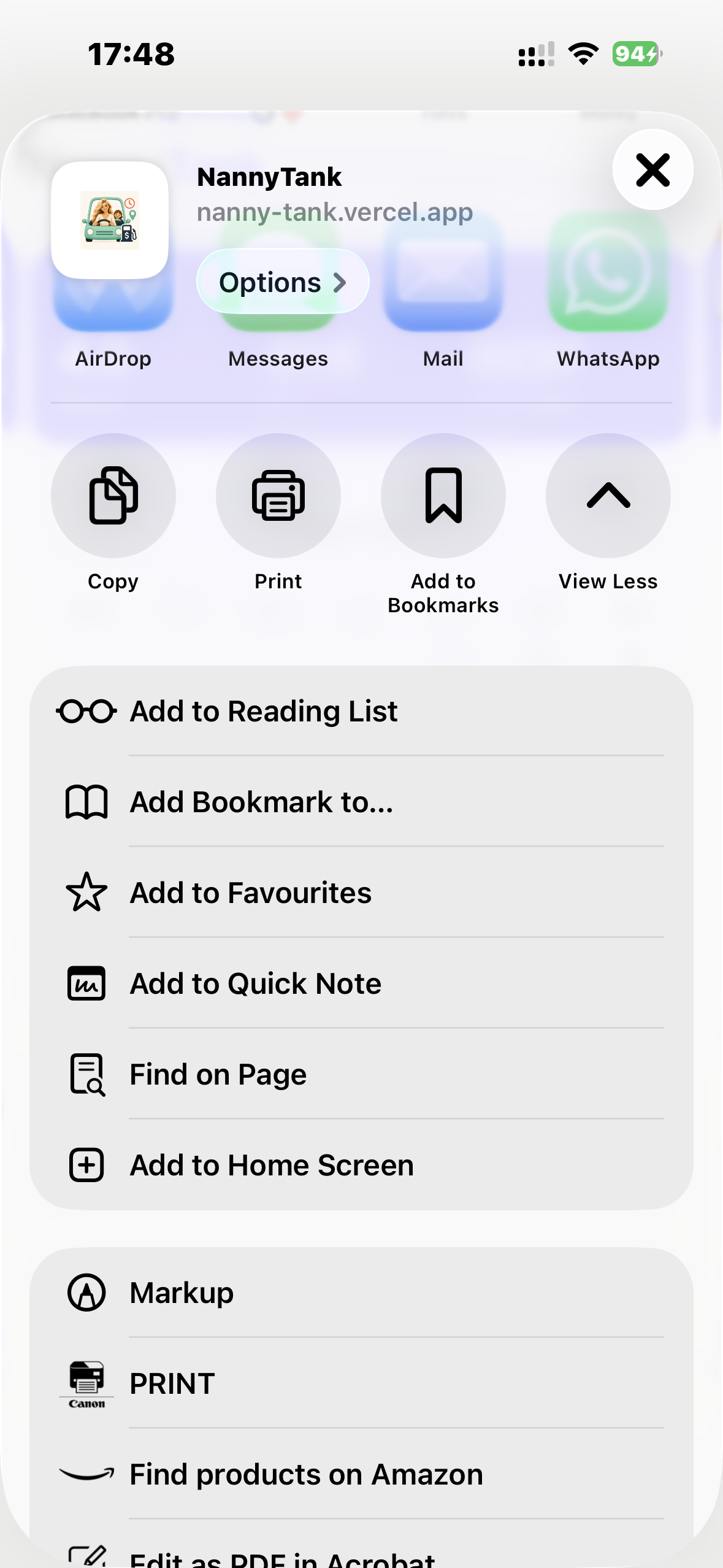
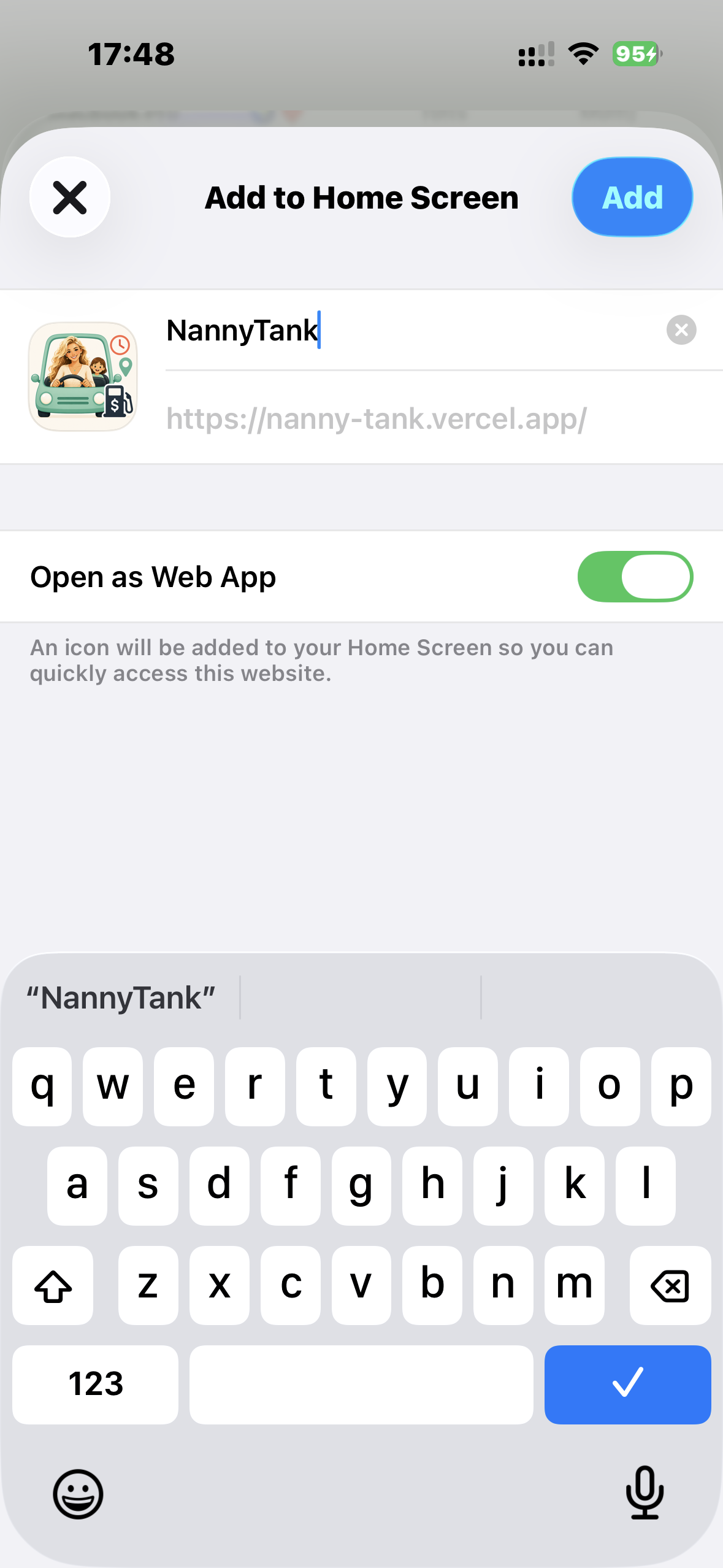
Tap "Add to Home Screen"
Scroll down the share sheet and tap Add to Home Screen
Tap Add
Confirm the name and tap the blue Add button — that's it!
You're done!
NannyTank appears on your home screen just like any other app
Free and optional. One pairing code connects your au pair's app to their own — hours and claims to review, plus a schedule you both can edit, without the WhatsApp back-and-forth.
A calendar of every day worked — hours, overtime, kilometres and fuel claim, days off and sick days. Tap any day for the exact detail.
Approve a claim in one tap, download a payslip PDF with your own deductions worked in, and mark it as paid once you've sent the money.
A calendar you both can edit and comment on, plus a daily diary of meals, naps, mood and activities your au pair logs for you.
Country-specific guidance and a ready-to-edit employment contract you can download — a starting point, not a substitute for legal advice.
A few highlights — the full guide covers everything, from your first login to connecting your employer.
Tap a day, set your start and end time — overtime is flagged automatically.
One tap emails your employer a ready-to-approve Excel claim.
A read-only pairing code lets them follow your hours, schedule and claims.
Set your region once — currency, distance unit and language follow.
My girlfriend Kayla is an au pair. Every month I'd watch her lose a whole evening to the same admin — counting hours in a notebook, adding up kilometres, wrestling a spreadsheet, second-guessing her overtime, and hoping her claim looked professional enough.
It was tedious — and worse, she was sometimes leaving money on the table on trips and overtime she'd forgotten to add up.
So I built NannyTank: tap your times, add your trips, and your whole monthly claim builds itself — overtime and petrol included — ready to send to your employer. What used to take her an evening now takes 30 seconds.
If you're an au pair, this was built for you. 💜
— Reynard, founder of NannyTank
14-day free trial. Cancel anytime. Works on any iPhone or Android.
Start your free trial →